
 1 / 6
1 / 6 Click image to magnify
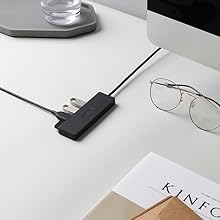
Anker A7516 Ultra Slim 4-Port USB 3.0 Data Hub
Cash on Delivery adds 4% to your order total at checkout. Choose bank deposit to avoid the COD charge.
Get notified when this is back in stock
Enter your email and the TechAndExperts team will contact you when this exact variant is available again.
Orders of PKR 4,999 or more
Compatibility help available
7-day policy
WhatsApp help
These notes summarize information in this listing and model-specific compatibility checks. They are not a hands-on or laboratory test.
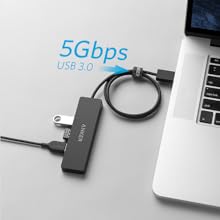
- High-speed 5Gbps data transfer
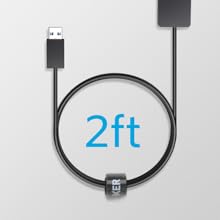
- Durable, damage-resistant 2ft cable
- Ultra-slim, space-saving design
- Does not support device charging
Product details
Compatibility notes, listing details, and buying guidance before you compare customer proof.
Anker A7516 Ultra Slim 4-Port USB 3.0 Data Hub
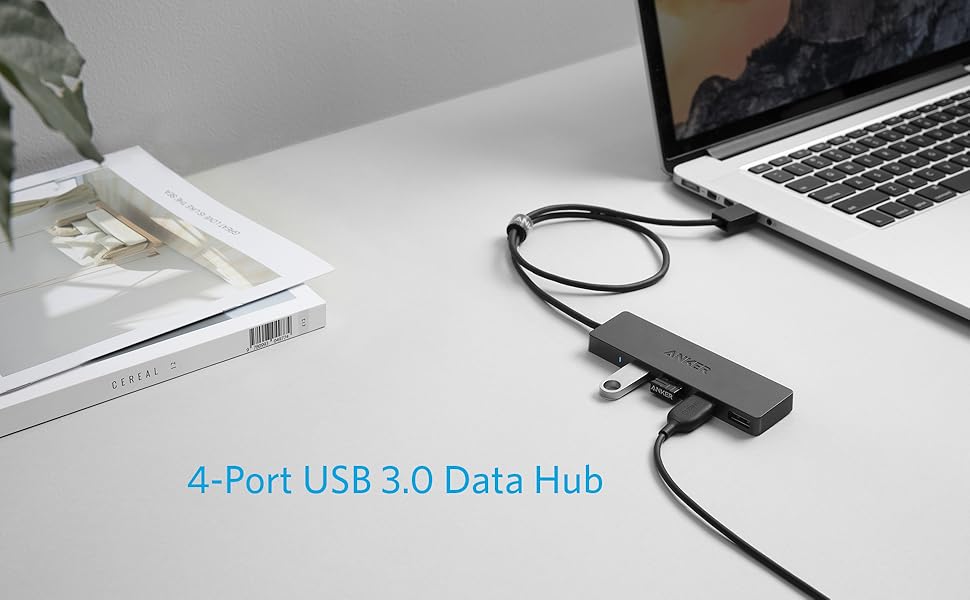
|
|
|
|
|
|---|---|---|---|
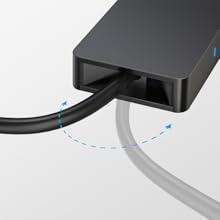
High-Speed Data TransferTransfer movies, music, or an entire photo library in seconds with 5Gbps data speeds. | For Desktop or Laptop SetupsSome USB hub cables are so incredibly short they almost defeat the purpose of convenience. With two full feet of cable and cable tie, you can adjust the length to perfectly suit your laptop or desktop workstation. | Damage-Resistant CableNo matter which way you bend or twist, this cable will stay firmly connected to the USB hub; even wrapped up inside a bag. | Save Desk SpaceAn incredibly compact design saves on clutter, leaving room for all those accessories you’ll be plugging in. |
No verified buyer reviews yet
Be the first to share your experience with this product, or ask our team to confirm fit and compatibility before ordering.
You May Also Like
Recommended accessories and same-brand picks so shoppers can compare useful alternatives before checkout.
Anker A7516 Ultra Slim 4-Port USB 3.0 Data Hub FAQs
Quick answers for the checks customers usually make before ordering tech accessories online in Pakistan.
What product details should I verify before ordering Anker A7516 Ultra Slim 4-Port USB 3.0 Data Hub?
Review the product title, model number, photos, specifications, seller-provided brand information, and any warranty terms shown on this page. Contact TechAndExperts before ordering if you need confirmation about the supplied variant or documentation.
How do I know this product is compatible with my device?
For hubs and adapters, confirm connector type, HDMI or display support, Ethernet needs, PD charging, USB speed, and whether your laptop or phone supports video output from that port.
What should I compare before buying?
Adapter performance depends on the source device as well as the accessory, so check device port capability before assuming every feature will work.
What should I check in the product photos?
Check every port shown in the images and compare it with your device ports. HDMI, Ethernet, PD charging, and display output support can vary by laptop or phone model.
Can I order this with cash on delivery in Pakistan?
Cash on Delivery is available for eligible orders in Pakistan with a 4% COD charge added at checkout. Delivery timing depends on your city, courier route, and stock availability at the time of order confirmation.
What if I receive the wrong item or a faulty product?
Contact TechAndExperts support quickly with your order details, product photos, and packaging photos. The team can guide you through warranty, exchange, or return steps according to the store policy.
Can TechAndExperts help me choose before I order?
Yes. If you are choosing between similar products, message TechAndExperts on WhatsApp before ordering. The support team can help compare compatibility, use case, and stock availability.
Should I buy only by the lowest price?
Avoid choosing only by the lowest price. For accessories, device compatibility, safety details, listed support terms, cable quality, and after-sale help usually matter more than a small price difference.

Anker A7516 Ultra Slim 4-Port USB 3.0 Data Hub
Anker A7516 Ultra Slim 4-Port USB 3.0 Data Hub
|
|
|
|
|
|---|---|---|---|
High-Speed Data TransferTransfer movies, music, or an entire photo library in seconds with 5Gbps data speeds. | For Desktop or Laptop SetupsSome USB hub cables are so incredibly short they almost defeat the purpose of convenience. With two full feet of cable and cable tie, you can adjust the length to perfectly suit your laptop or desktop workstation. | Damage-Resistant CableNo matter which way you bend or twist, this cable will stay firmly connected to the USB hub; even wrapped up inside a bag. | Save Desk SpaceAn incredibly compact design saves on clutter, leaving room for all those accessories you’ll be plugging in. |